Designing a website is not just about colors, fonts, and layouts. It’s about creating a conversion-focused digital asset that attracts traffic, builds trust, and generates leads.
Yet many businesses invest in website design services without understanding the fundamentals of SEO, UX design, website performance optimization, and conversion strategy. The result? A visually appealing website that fails to rank on Google or convert visitors into customers.
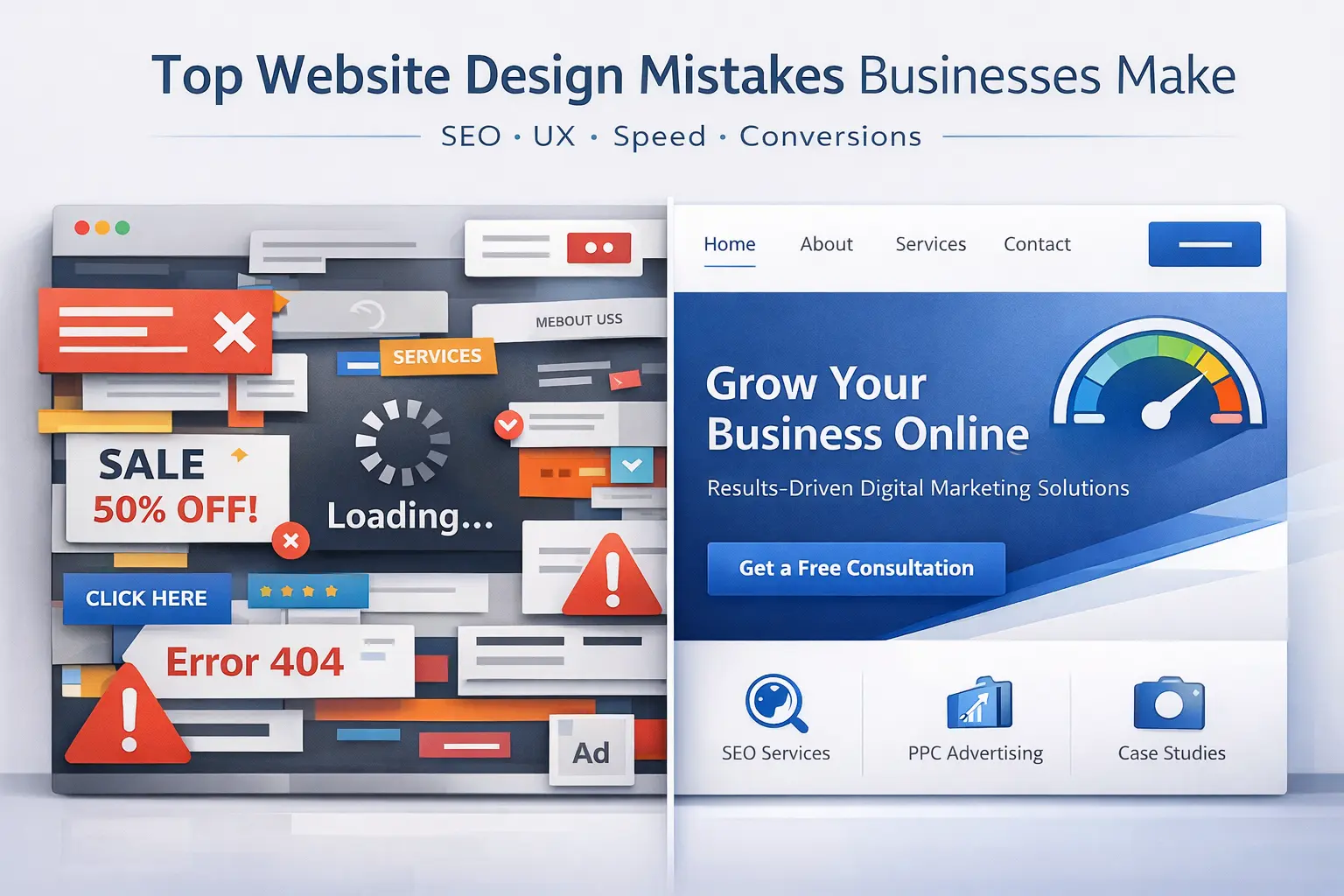
In this guide, we break down the top website design mistakes businesses make and how to fix them – using proven SEO and CRO principles.
1. Designing a Website Without SEO Strategy
One of the biggest website design mistakes is ignoring search engine optimization (SEO) during development.
Common issues include:
- No keyword research before writing website content
- Missing H1, H2, H3 structure
- No internal linking strategy
- No meta titles or meta descriptions
- Poor URL structure
If your website is not built around target keywords like “website design company,” “professional website development,” or “SEO-friendly website design,” it will struggle to rank on search engines.
Solution:
Start with keyword research. Map search intent to each page before design begins. A strong website is built with SEO architecture from day one – not added later.
2. Weak Value Proposition Above the Fold
When users land on your homepage, they should instantly understand:
- What you do
- Who you serve
- Why they should choose you
Generic lines like “We Deliver Excellence” don’t work.
A strong SEO-friendly headline could be:
“Professional Website Design & Development Services for Growing Businesses”
Clear messaging improves:
- User engagement
- Time on site
- Conversion rate
- Organic rankings
Search engines reward clarity because users respond to clarity.
3. Poor Website Navigation and User Experience (UX)
Confusing navigation increases bounce rate and lowers conversions.
Common UX mistakes:
- Too many menu items
- No clear service categories
- No logical user journey
- No call-to-action in navigation
Good website navigation improves both user experience (UX) and technical SEO structure.
Keep navigation:
- Simple
- Intent-driven
- Conversion-focused
4. Ignoring Mobile-First Website Design
With most traffic coming from mobile devices, businesses still design desktop-first websites.
Problems include:
- Slow loading speed on mobile
- Small buttons and hard-to-click CTAs
- Broken layouts
- Large uncompressed images
Google prioritizes mobile-first indexing. If your website is not responsive, your rankings and conversions will suffer.
Focus on:
- Responsive website design
- Mobile page speed optimization
- Clean, readable typography
- Thumb-friendly buttons
5. Slow Website Loading Speed
Website speed is a ranking factor and a conversion factor.
A slow website affects:
- SEO rankings
- User experience
- Cost per acquisition in ads
- Trust perception
Businesses often ignore performance optimization like:
- Image compression
- Caching setup
- Lightweight theme usage
- Clean code structure
Tools such as Google PageSpeed Insights and GTmetrix help identify technical issues affecting performance.
Aim for a load time under 3 seconds.
6. No Clear Call-to-Action (CTA)
A website without a strong CTA is like a sales team without a closing script.
Common CTA mistakes:
- Multiple conflicting CTAs
- No CTA above the fold
- Generic buttons like “Submit”
Instead, use action-oriented CTAs like:
- Get a Free Website Audit
- Request a Quote
- Book a Strategy Call
Each page should have one primary conversion goal
7. Lack of Trust Signals and Social Proof
Trust influences purchasing decisions online.
Missing elements:
- Client testimonials
- Case studies
- Real project portfolio
- Certifications
- Industry recognition
When users search for “best website design agency” or “top web development company,” they are comparing credibility.
Adding measurable results and real client experiences significantly improves conversion rates.
8. Overdesigning with Heavy Animations
Modern design trends often prioritize aesthetics over performance.
Too many animations:
- Slow down the website
- Distract users
- Increase bounce rate
Minimal, clean, and strategic design performs better in the long term.
A professional website design balances:
- Visual appeal
- Speed
- Usability
- SEO structure
9. Not Tracking Website Performance
If you are not measuring website analytics, you are guessing.
Tracking tools like:
- Google Analytics
- Meta Pixel
help businesses understand:
- Traffic sources
- User behavior
- Conversion rate
- Funnel drop-offs
A website should evolve based on data – not assumptions.
10. Choosing the Wrong Website Development Partner
Many businesses choose website designers based only on price.
However, a professional website requires expertise in:
- SEO
- UX strategy
- Conversion rate optimization
- Technical performance
- Branding
A strategic website partner focuses on business growth, not just layout design.
At BrandScout, the focus is not just on building websites – but building high-converting digital growth systems aligned with search intent, user psychology, and performance marketing goals.
Final Thoughts
A website is not an expense. It is a long-term marketing investment.
If your website is not:
- Ranking on Google
- Generating qualified leads
- Supporting your digital marketing campaigns
It needs strategic redesign – not just visual improvement.
Avoid these common website design mistakes and build a website that works as your 24/7 sales engine.